You check your Farmer Registry status on your own state’s official portal, using the enrolment number sent to your mobile by SMS when you submitted your land claim. There is no single national status website: each state runs its own Farmer Registry, so the status option is on the state portal, usually labelled “Check Enrolment Status” or similar.
This guide explains where to check, what the stages mean, how long each usually takes, and what to do if your application is stuck or rejected.
State Farmer Registry portals end in agristack.gov.in, for example upfr.agristack.gov.in or mhfr.agristack.gov.in. Do not enter your Aadhaar number or OTP on other “status check” websites or apps. See fake AgriStack websites and apps.
What you need
- Your enrolment number. The official FAQ says: “An Enrolment number is sent to the phone number given at the time of bucket claiming. This can be used to track the status of their claim.”
- Your state’s portal address. Find it in our state-wise portal list.
- Your registered mobile number, in case the portal asks you to log in or verify.
How to check: the general steps
State portals follow a common national design, but labels differ. In general:
- Open your state's Farmer Registry portal (the address ending in
agristack.gov.in). - On the home or login page, look for an option such as Check Enrolment Status, Check Status or Application Status.
- Enter your enrolment number, or the details asked for, and the captcha if shown.
- Read the status shown. Note the date, and take a screenshot if it helps you follow up.
If you registered yourself in self mode, you may also be able to log in with your mobile number and password and see your application there.
Uttar Pradesh example
The official UP user manual points farmers to the “Check Enrolment Status” option at upfr.agristack.gov.in/farmer-registry-up/#/ to check the approval status of their application. It also says farmers can sign in with their mobile number and password. UP’s help desk number in the manual is 0522-2317003. See our Uttar Pradesh guide.
What the stages mean
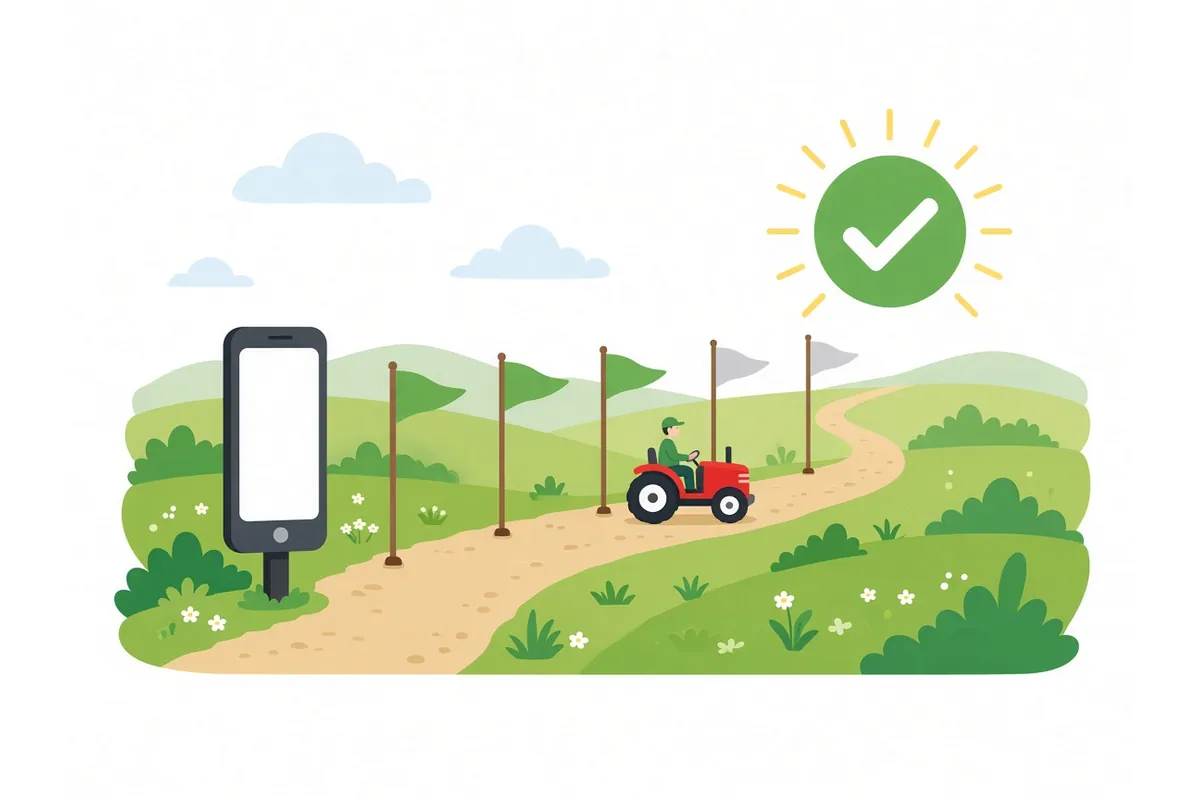
Portals may use slightly different words. These are the stages described in the official FAQ and manuals, and what each means for you.
1. Enrolment number received
You completed e-KYC, claimed land and gave consent. The FAQ calls this number the “Draft Farmer ID” or “Enrolment ID”: it “is created when the Farmer claims his bucket and is pending approval form official”. It is not your Farmer ID.
2. Pending or under verification
Your land claim is being checked. The FAQ says that, depending on the name-match score between your Aadhaar name and the land record name, the state may use “as many levels of approval as needed”. In UP, for example, claims with a medium score go to the Lekhpal. A high score may be approved automatically. Some states can also set auto-approval if officials do not act within a fixed time.
If you are pending for a long time, see status pending.
3. Approved
Your land claim has been accepted. The Farmer ID is generated after approval. The FAQ gives 24 hours as the time needed to create the Farmer ID after a camp claim is approved.
4. Farmer ID generated
You now have your Farmer ID. The FAQ describes it as “a 10 digit random number followed by a 1 digit checksum”, and says it is created against your Aadhaar, so you have one Farmer ID even if you have land in several states. After this, the FAQ says, the enrolment number is no longer relevant.
5. Rejected
An official rejected all or part of your claim. The common reasons in the FAQ are a name mismatch, land not in your name, land still in a deceased owner’s name, or land still in a seller’s name. See application rejected.
| What you see | What it means | What to do |
|---|---|---|
| Enrolment number by SMS | Claim submitted | Save the number; check status in a few days |
| Pending | Official review | Wait; check your land record and names |
| Approved | Claim accepted | Check again after a day for the Farmer ID |
| Farmer ID generated | Done | Note the ID and keep it safe |
| Rejected | Claim refused | Find the reason, fix the record, apply again |
How long does it take?
There is no national deadline for approval. The time depends on:
- your name-match score (high scores may be auto-approved);
- your state’s approval workflow and how many levels it uses;
- how busy officials are, especially during campaigns;
- whether your state has set auto-approval after a fixed time.
The only time stated in the official FAQ is the 24 hours for Farmer ID creation after approval. Be cautious of any website giving exact approval times for all states.
If your Farmer ID did not appear after approval
The FAQ says: “The farmer id SHOULD get generated after bucket claim is approved. Whenever this doesn’t happen, state can get technical support from Central team.”
So:
- Wait at least 24 hours after approval.
- Check the status again on the portal.
- If there is still no Farmer ID, contact your state help desk or agriculture office with your enrolment number. They can escalate it.
If you lost your enrolment number
- Search your SMS inbox for messages from the state Farmer Registry.
- Log in to the portal with your mobile number and password if you registered yourself.
- Ask your CSC or the camp where you registered; they may have a record.
- Ask your agriculture office, giving your name, village and Aadhaar-linked mobile number. Do not share your OTP over the phone.
Status through a CSC or agriculture office
If you do not have a smartphone or cannot use the portal, a Common Service Centre (CSC) or your agriculture office can check your status. The FAQ says the state portal was “developed to enable the officials and the Farmer’s themselves to check their application status”. You only need to share your enrolment number or details, never your OTP or password. See CSC farmer registration.
Status checks are not scheme applications
Checking your Farmer Registry status tells you only about your Farmer ID. It does not show whether you have been approved for any scheme. Scheme applications, such as Gujarat’s i-Khedut portal or PM-KISAN, have their own status pages.
For CSC operators
- Ask the farmer for the enrolment number before starting. Keep a register of enrolment numbers for farmers you helped.
- Check status on the state portal only.
- Explain each stage in simple terms, using the table above.
- For long-pending cases, note the date of submission and guide the farmer to the agriculture office.