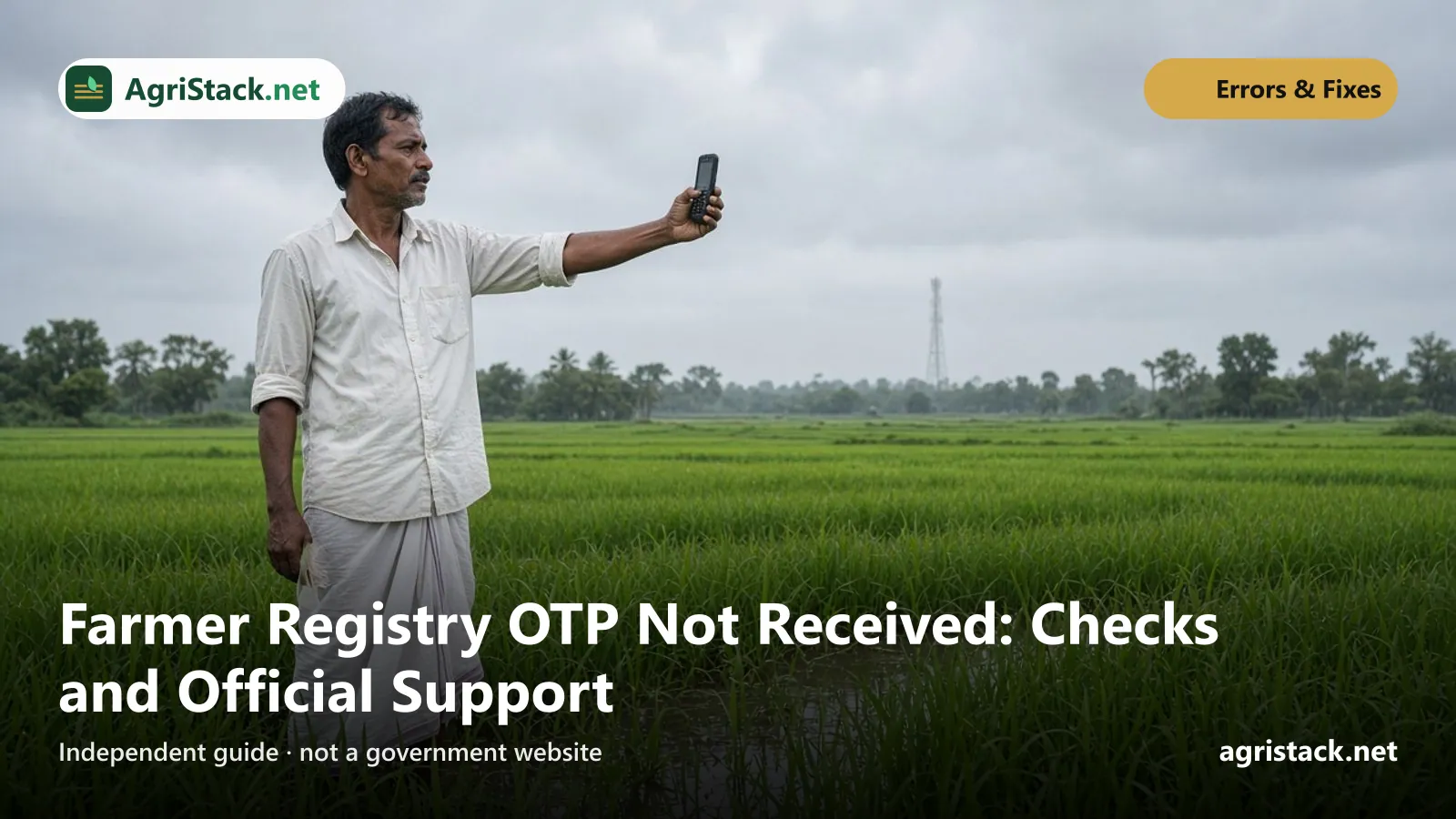
If your Farmer Registry OTP does not arrive, the cause is almost always one of two things: a delay at the Aadhaar (UIDAI) server, or your mobile number not being linked to your Aadhaar. The official Uttar Pradesh Farmer Registry user manual names exactly these two reasons. The first fixes itself if you wait and retry. The second needs a visit to an Aadhaar enrolment centre, because a mobile number cannot be linked to Aadhaar online.
This guide helps you work out which OTP failed, check your Aadhaar mobile in two minutes, and fix the problem without risking your Aadhaar or your land.
An OTP lets someone act in your name. Enter it only on your state’s official Farmer Registry portal (an address ending in agristack.gov.in), or read it out at the CSC counter while you are sitting there. No official needs your OTP over the phone. AgriStack.net never asks for your Aadhaar number or OTP.
First, which OTP did not arrive?
Registering on a Farmer Registry portal can involve more than one OTP. The official UP user manual for self mode shows three separate OTP steps. Knowing which one failed tells you where to look.
| OTP step | Sent to | When it happens | If it fails |
|---|---|---|---|
| Aadhaar e-KYC | Mobile linked to your Aadhaar | At sign-up, after you enter your Aadhaar number | Check your Aadhaar mobile (below) |
| Mobile verification | The mobile number you type on the portal | When you register your contact number | Check the number you typed; check signal |
| e-Sign | Mobile linked to your Aadhaar | At the end, when you sign your consent | See e-Sign problems |
Other states use the same national design, but the screens and labels can differ. If you are at a CSC, ask the operator which step is waiting for the OTP.
Cause 1: delay at the Aadhaar server
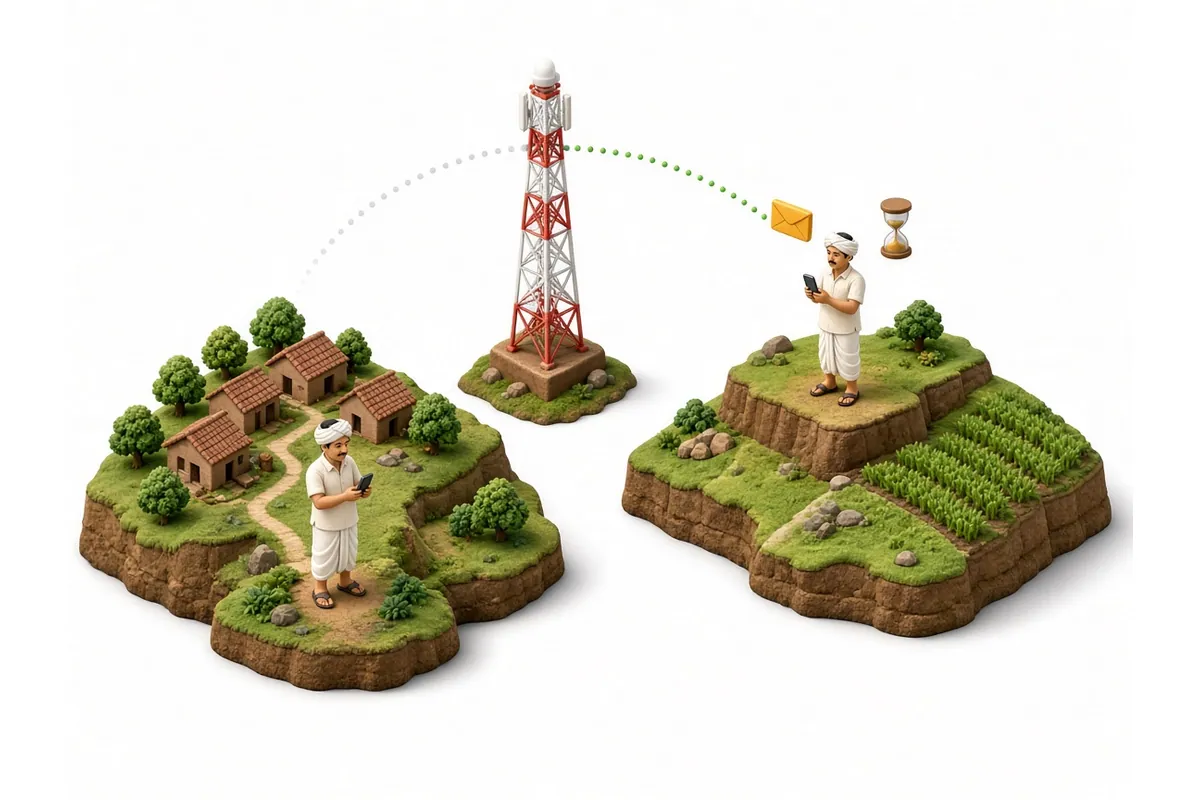
The UP manual says a “UIDAI server issue may cause delay in receiving OTP”. This is common on busy days, for example during registration campaigns or camps.
What to do:
- Wait two or three minutes before asking for a new OTP. Asking repeatedly can make it harder to tell which OTP is the latest.
- Use only the latest OTP you receive. Older ones usually stop working.
- If nothing comes after a few tries, stop and try again later, ideally early morning or late evening when fewer people are online.
- If OTPs fail for everyone at the CSC or camp, the problem is the server, not your phone. Come back another time.
Cause 2: your mobile is not linked to your Aadhaar
The Aadhaar e-KYC OTP and the e-Sign OTP go only to the mobile number linked to your Aadhaar. If you linked an old number years ago, lost that SIM, or never linked one at all, the OTP will not reach you, no matter how many times you try.
The UP manual’s solution is that the farmer should update their phone number in their Aadhaar.
Check which mobile is linked (free, online)
UIDAI has an official service for this. In its May 2023 announcement, UIDAI said it noticed that people were “not aware/sure” which of their mobile numbers was linked, and worried that “Aadhaar OTP might be going to some other mobile number”.
- Open UIDAI's official myAadhaar website,
myaadhaar.uidai.gov.in, or the mAadhaar app. - Choose Verify Email/Mobile Number.
- Enter your Aadhaar number, the mobile number you think is linked, and the captcha.
- If it is linked, UIDAI shows a message that the number "is already verified with our records". If not, it tells you the number is not linked.
UIDAI also says that if you do not remember the number, you can see its last three digits using the “Verify Aadhaar” feature on myAadhaar or the mAadhaar app.
Link or change the mobile (at an Aadhaar centre)
UIDAI’s answer to “Where can I update my mobile number?” is that you do it by visiting an Aadhaar enrolment centre. There is no online option for this.
- Find a centre: UIDAI points people to the Bhuvan Aadhaar centre locator. Many banks, post offices and some government offices run Aadhaar centres. Not every CSC does Aadhaar updates, so ask first.
- Take: your Aadhaar card or number, and the mobile phone with the SIM you want to link.
- Fee: UIDAI’s published charge for a demographic update (which includes mobile number) is ₹75 if done on its own, and free if done together with a biometric update. Ask for a receipt.
- Time: the change is not instant. Wait for the update to complete, and check again with “Verify Email/Mobile Number” before you go back to the Farmer Registry.
For questions about Aadhaar updates, UIDAI’s toll-free number is 1947.
Check that the update is complete before you try again
After the update request, you get an update request number. UIDAI’s “Update Your Aadhaar” page links to a Check Aadhaar Update Status service on myAadhaar. Wait until it shows the update as complete, then run “Verify Email/Mobile Number” once more. Only then go back to the Farmer Registry portal or the CSC. Trying earlier wastes a trip.
If the linked number belongs to someone else
Many farmers find that years ago a son, daughter or neighbour gave their own number at the Aadhaar centre. The OTP then goes to that person’s phone.
- If the person is with you and willing, you can complete registration with the OTP arriving on their phone. You still have to be present yourself, and the person must give the OTP only for your registration.
- The better fix is to update your Aadhaar to a number you control. Phones change hands, people move away, and you will need OTPs again for e-Sign, corrections and other services.
If you lost the SIM linked to Aadhaar
If the number is still yours but the SIM card is lost or damaged, your mobile operator can usually issue a replacement SIM with the same number. Once it works, the OTP will reach you again and no Aadhaar update is needed. If the number has been closed and given to someone else, update your Aadhaar mobile at an Aadhaar centre.
Many farmers lose OTP access because a prepaid SIM linked to Aadhaar expired. If your Aadhaar is linked to a number you still use rarely, keep it recharged, or update Aadhaar to the number you use every day.
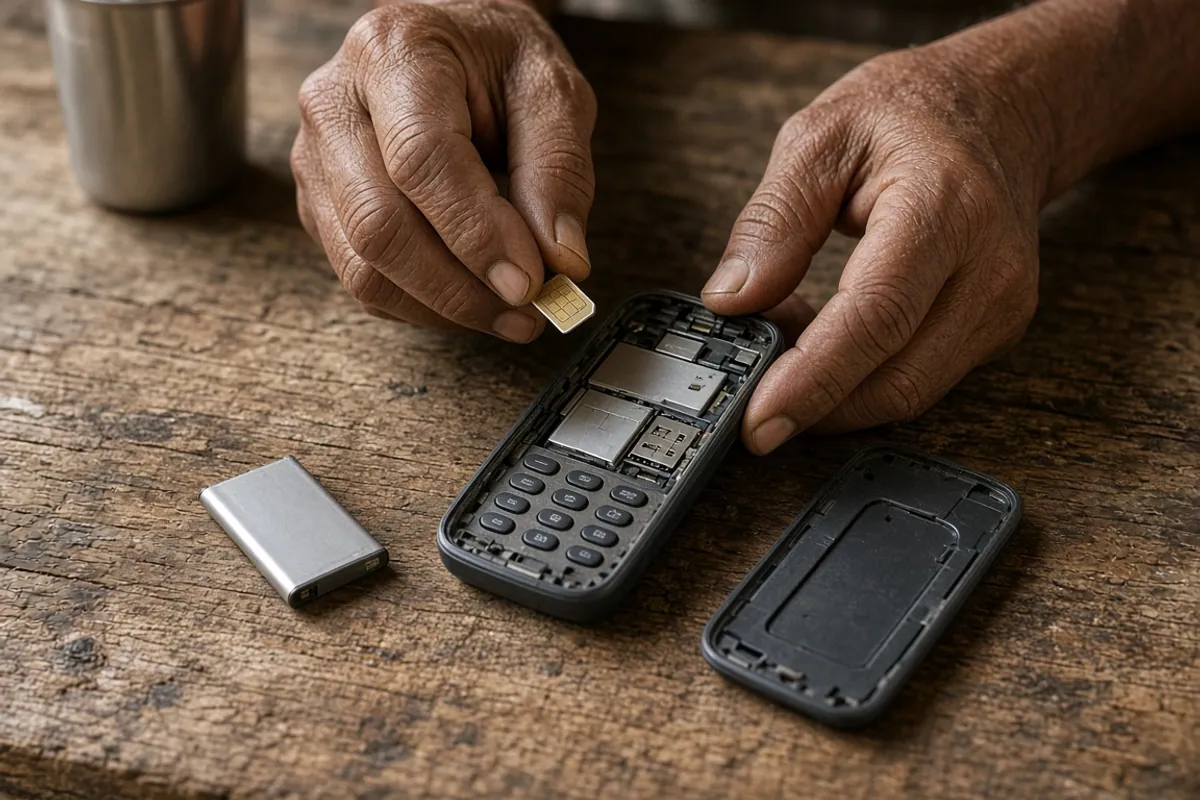
Cause 3: problems with the phone itself
If your Aadhaar mobile is correct and the server is working, check the phone:
- Signal. Stand where you normally get calls clearly. In hilly or remote areas, try near the block office or market.
- Correct SIM in a dual-SIM phone. The OTP goes to the linked SIM. Make sure it is inserted and switched on.
- SMS inbox full. Delete old messages, especially on keypad phones with little storage.
- Spam or blocked messages. Some phones put messages from unknown senders in a separate folder. Look there.
- Airplane mode or “do not disturb”. Turn these off.
- Restart the phone once, then ask for a new OTP.
Cause 4: the number typed on the portal is wrong
For the mobile verification step, the OTP goes to whatever number you typed. One wrong digit sends it to a stranger. Before asking again:
- read the number on the screen digit by digit;
- make sure there is no extra 0 or +91 if the field does not need it;
- use a number you can access right now, because you will need it for login and messages later.
The enrolment number that confirms your application is also sent by SMS to the number you give at the time of claiming land, so a wrong number causes problems later too. See registration status check.
OTP at a CSC or registration camp
At a Common Service Centre (CSC) or camp, the OTP still comes to your phone, not the operator’s. That is why you must go in person and carry the phone with the linked SIM.
- Keep the phone with you. Do not leave it at the counter.
- Read out the OTP only when the operator is waiting for it on the official portal in front of you.
- If the OTP does not arrive, ask the operator to stop and try again later rather than trying many times.
- If your mobile is not linked to Aadhaar, the CSC cannot complete Aadhaar OTP steps for you until you update it at an Aadhaar centre.
See our full CSC farmer registration guide.
Special situations
You work away from your village
If you live in a city for work but your land is in your village, you can still register on your state’s portal from anywhere, as long as the OTP reaches your Aadhaar-linked phone. Registration is done in the state where the land is recorded, not where you live. See our state-wise portal list to find the right portal.
You have land in two states
The official FAQ says a farmer gets one Farmer ID against Aadhaar, even with land in more than one state. The same Aadhaar-linked mobile receives the OTP on every state portal, so fixing your Aadhaar mobile once fixes it everywhere.
An elderly farmer cannot travel
The Aadhaar mobile update has to be done at an Aadhaar centre. UIDAI’s charges list includes a separate home enrolment service fee for doorstep services, but availability varies by area. Ask your nearest Aadhaar centre or call 1947. For the Farmer Registry itself, ask your agriculture office whether a camp is planned in your village.
The portal shows an error instead of “OTP sent”
If the screen shows an error message rather than saying an OTP was sent, the problem is on the portal side, not your phone. Note the exact message, wait, and try later. If it continues, see portal not opening or contact your state help desk.
What not to do
- Do not use another person’s Aadhaar or ask someone else to receive your OTP on their phone. Your Farmer ID must be created for you, with your own Aadhaar.
- Do not buy “OTP bypass” services or download apps that promise registration without OTP. They are not official, and they put your Aadhaar at risk. See fake AgriStack websites and apps.
- Do not share OTPs with callers, even if they say they are from the agriculture department, a bank or a scheme. Report such calls to 1930 or cybercrime.gov.in.
- Do not keep retrying for hours. If it fails repeatedly, the cause is usually the Aadhaar link or the server, and retrying will not help.
Quick troubleshooting table
| What happens | Likely cause | What to do |
|---|---|---|
| No OTP for anyone at the camp | Server delay | Wait, try later |
| No Aadhaar OTP, ever | Mobile not linked to Aadhaar | Verify on myAadhaar; update at Aadhaar centre |
| OTP goes to an old number | Old number still linked | Update mobile at Aadhaar centre |
| Mobile verification OTP missing | Wrong number typed, or no signal | Check digits; move to better signal |
| OTP arrives but “invalid” | Used an older OTP, or it expired | Request once more; use the latest |
| e-Sign OTP missing | Same as Aadhaar OTP, or e-Sign service busy | See e-Sign problems |
Getting official help
Who to contact depends on which part failed: Aadhaar problems go to UIDAI, portal problems go to your state.
Aadhaar and mobile linking
UIDAI helpline 1947, or an Aadhaar enrolment centre. Use these for questions about which number is linked, update status and centre locations.
Farmer Registry portal
Your state’s Farmer Registry help desk or agriculture office. For example, the UP manual gives 0522-2317003. The official FAQ says the state or district help desk will try to resolve claim problems or pass you to the right official. See our Farmer Registry helpline guide for other states.
Help in person
Your nearest CSC, registration camp or agriculture office. See the CSC registration guide for what to bring.
Fraud or suspicious calls
The national cyber crime helpline 1930 or cybercrime.gov.in.
For CSC operators
- Before starting, ask the farmer whether they have their Aadhaar-linked phone with them. If unsure, use “Verify Email/Mobile Number” on myAadhaar first.
- Tell the farmer which OTP you are waiting for, and why.
- If several farmers fail in a row, pause; it is probably a server delay.
- Never ask a farmer to forward an OTP from home, and never keep their phone.